Hello gamer!

Thanks a lot for joining the playtest! Please follow the steps below to get download the beta!

Step 1: Join Open Playtest

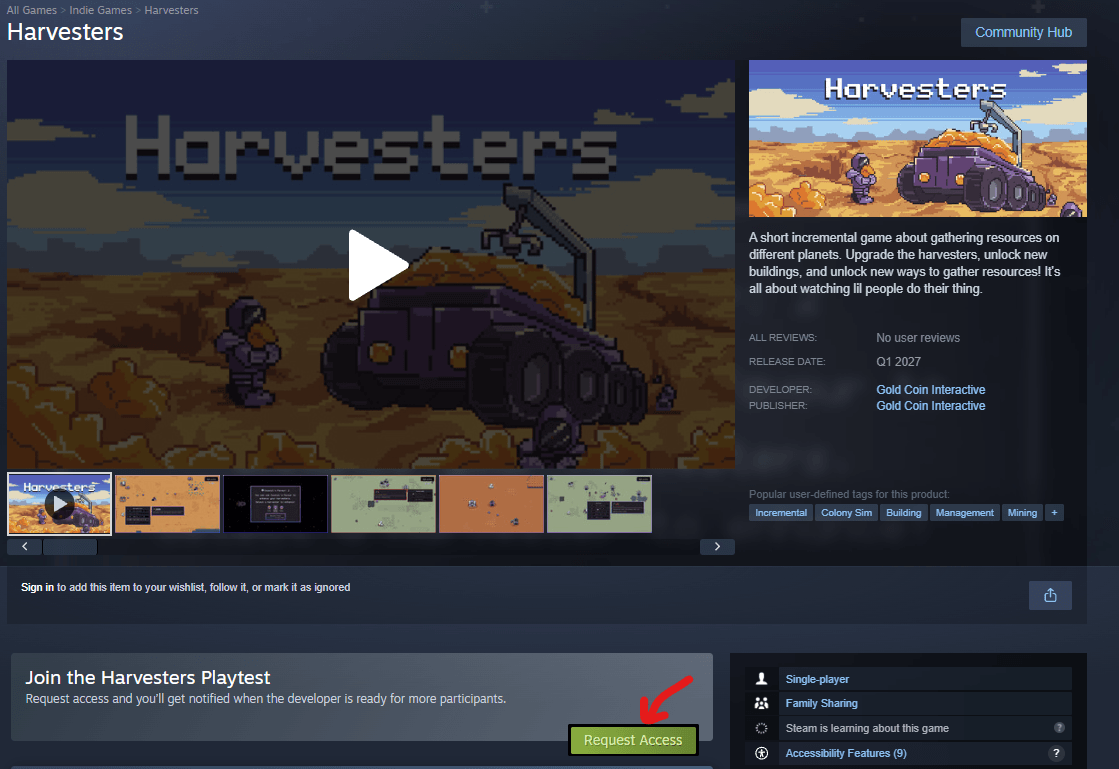
  • Open the game page from this link:

https://store.steampowered.com/app/4982600/Harvesters/

  • Press Request Access

  • Now in your library you should have Harvesters Playtest

But this is the Open playtest and you have few more steps to access closed beta!
Step 2: Go to Playtest Properties

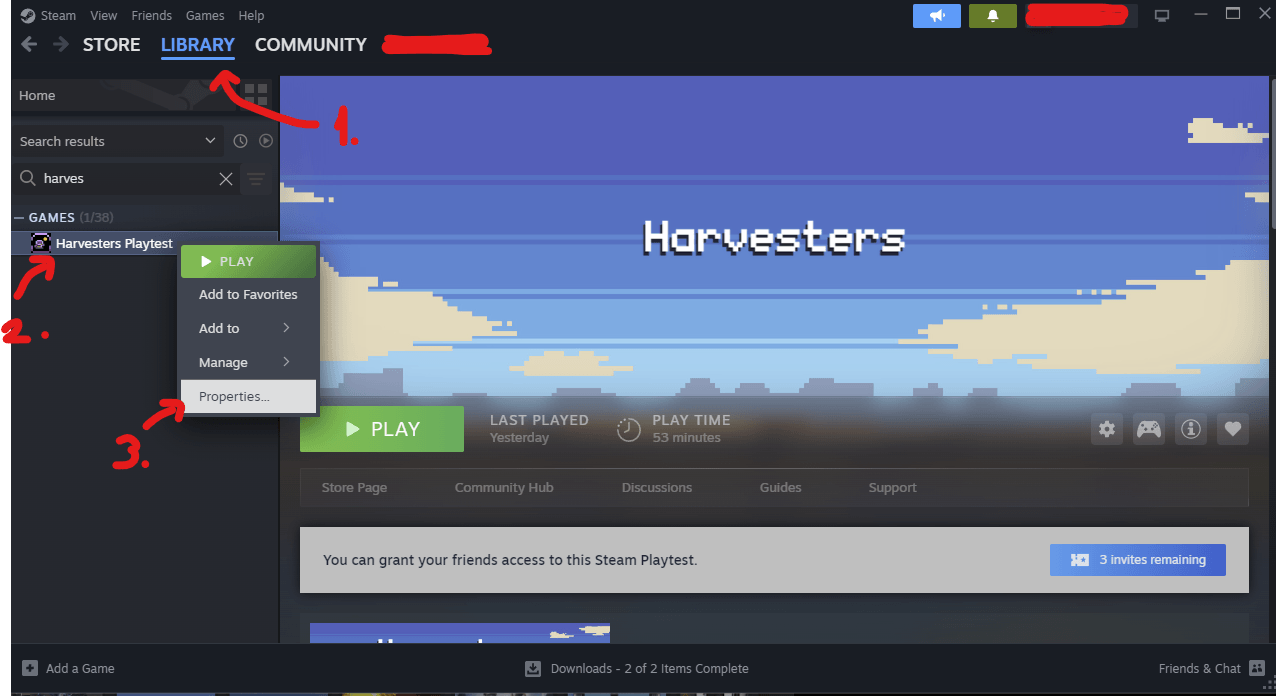
  1. Go to your Library

  2. Right click on "Harvesters Playtest"

  3. Press on Properties

2.open properties.png

Step 3: Enable Closed Beta

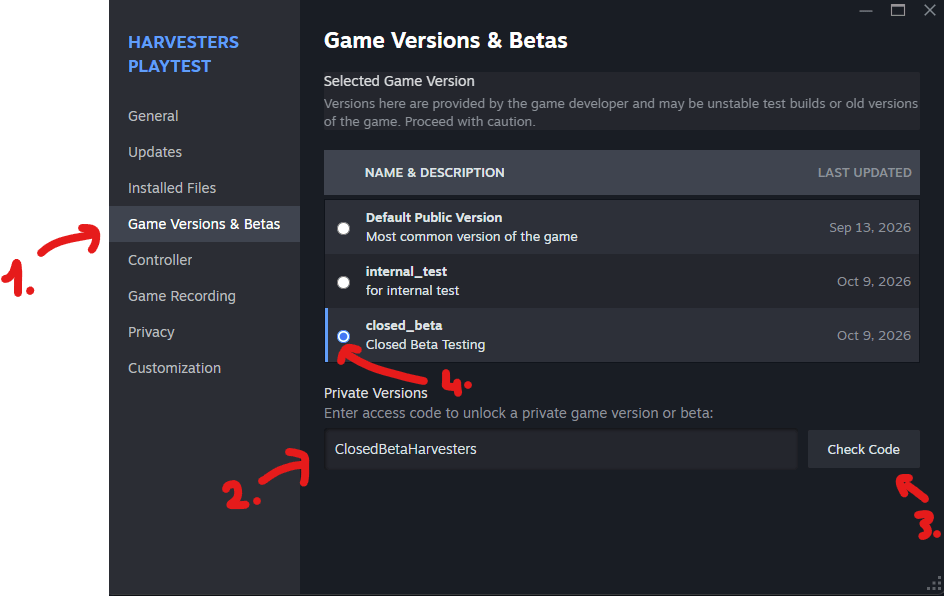
  1. On the left side of properties panel, press Game Version & Betas

  2. Enter the password: ClosedBetaHarvesters in the field below (be careful to not copy whitespace.

  3. Press Check Code. You'll now have an option to switch to Closed Beta Testing

  4. Select Closed Beta Testing by pressing the button on the right side of the row

  5. You can close the Properties now!

beta.png

Enjoy! And Thanks <3

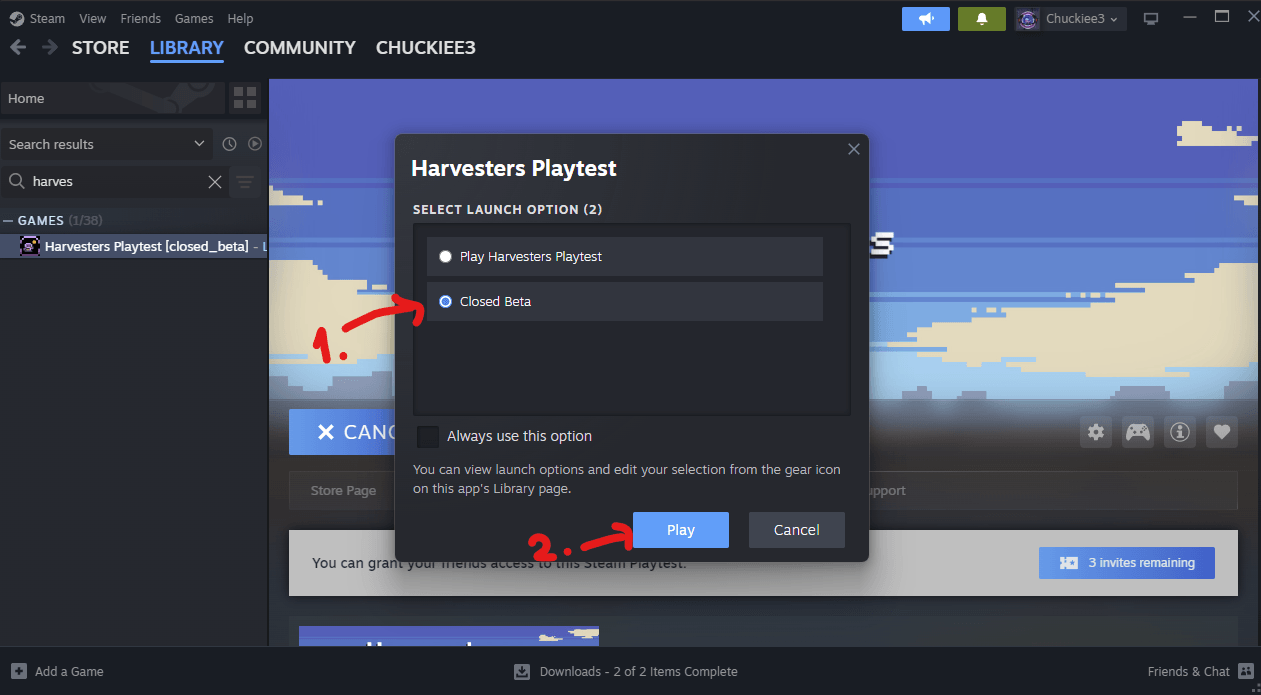
You now have access to Closed Beta, when you press Play you'll see the option "Closed Beta".

  1. Choose "Closed Beta".

  2. Press Play

  3. Enjoy!

betaa.png
Cookie Settings
This website uses cookies

Cookie Settings

We use cookies to improve user experience. Choose what cookie categories you allow us to use. You can read more about our Cookie Policy by clicking on Cookie Policy below.

These cookies enable strictly necessary cookies for security, language support and verification of identity. These cookies can’t be disabled.

These cookies collect data to remember choices users make to improve and give a better user experience. Disabling can cause some parts of the site to not work properly.

These cookies help us to understand how visitors interact with our website, help us measure and analyze traffic to improve our service.

These cookies help us to better deliver marketing content and customized ads.